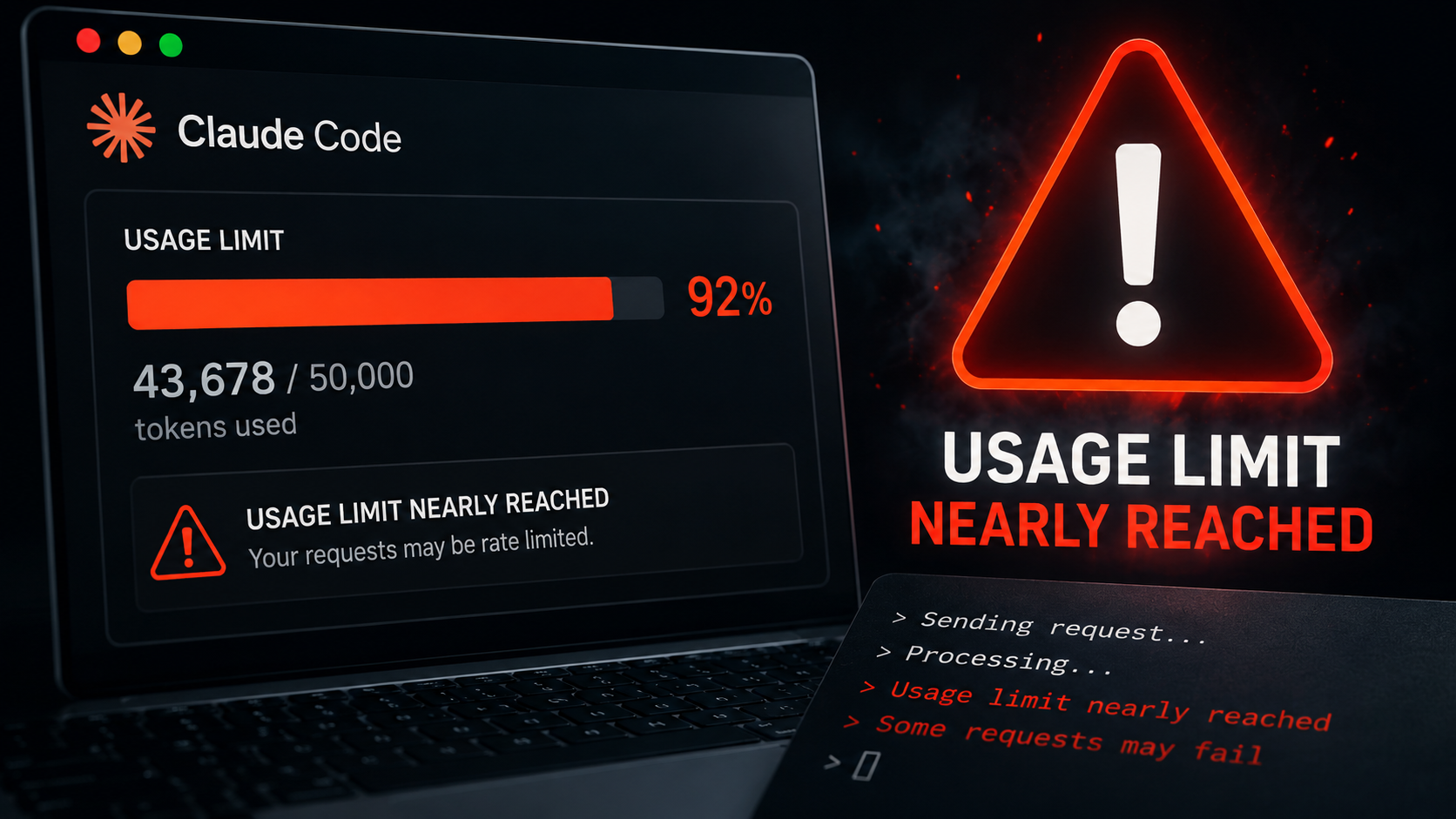
Claude Code can burn through a usage limit faster than expected, but there is no single cause. Reasoning effort, conversation length, model choice and tool use all affect current consumption. Anthropic also confirmed that a caching bug caused abnormal usage drain for some users this spring. That bug was fixed, making the first troubleshooting question simple: is your problem historical, contextual or configuration-related?
Why Can Claude Code Usage Disappear So Quickly?
The first thing to understand about Claude Code usage is that asking one question does not necessarily represent one small unit of work.
Claude Code is an agentic coding environment. It can inspect files, reason through a problem, call tools, edit code, run commands, examine results and continue working through a task. The amount of computation and context involved can therefore vary substantially between two requests that look similar when typed into the terminal.
Anthropic's current guidance says usage varies with factors including model choice, reasoning effort, conversation length and tool use. That means there is no responsible universal formula saying a Claude Code request should consume a particular percentage of a user's limit.
There is another reason this subject became confusing in 2026. For several weeks this spring, some users really were experiencing abnormal behavior. Anthropic eventually confirmed it.
Did Claude Code Really Have a Usage Problem in 2026?
Yes, for a specific period, and that distinction matters.
On April 23, Anthropic published an unusually detailed engineering postmortem addressing reports that Claude Code had become less capable and was consuming usage faster than users expected. The company traced the experience to three separate product changes rather than a single model failure.
The first began March 4, when Anthropic changed Claude Code's default reasoning effort from high to medium. The intention was to reduce long reasoning delays that could make the interface appear frozen. Anthropic later concluded that it had made the wrong tradeoff. The change was reversed April 7.
A second problem began March 26 and had a more direct relationship to unexpected usage drain. Anthropic was trying to improve how Claude Code resumed sessions after they had been idle for more than an hour. Older reasoning history was supposed to be cleared once when a stale session resumed. A bug instead caused prior reasoning to keep being cleared on every subsequent turn.
The result could make Claude appear forgetful and repetitive because it was progressively losing reasoning history that should have remained available. The same behavior also produced cache misses. Anthropic said it believes those cache misses contributed to reports that usage limits were draining faster than expected. The bug was fixed April 10.
A third change arrived April 16. Anthropic added a system-prompt instruction intended to make Claude less verbose. Broader testing later showed that the change measurably hurt coding quality, and Anthropic reverted it April 20.
By April 20, all three problems had been resolved in Claude Code version 2.1.116. Anthropic subsequently reset usage limits for subscribers on April 23.
Is Claude Code Still Burning Usage Because of That Bug?
The evidence does not support that conclusion.
Anthropic describes the spring caching problem as fixed. The reasoning-effort change was reversed, the caching bug was corrected and the system-prompt change was removed.
Claude Code still consumes usage, sometimes substantially, because it is performing computational work. That is different from saying the specific March and April defect remains active.
Anthropic also increased Claude Code allowances after the incident. On May 6, the company doubled five-hour Claude Code rate limits for Pro, Max, Team and seat-based Enterprise customers and removed peak-hour limit reductions for Pro and Max accounts.
Does Higher Reasoning Effort Use More of Your Limit?
Reasoning effort is one of the clearest controls available to a user.
Higher effort gives Claude more room to reason through difficult problems. That can improve results on complex tasks, but additional reasoning also involves additional computation and can contribute to reaching usage limits sooner.
Anthropic's own April postmortem makes the tradeoff explicit. Its original reason for lowering the default effort was to reduce latency and help users maximize their usage limits. The company reversed the decision because users preferred higher intelligence by default and the ability to choose lower effort themselves for simpler work.
That suggests a practical rule: maximum reasoning is not automatically the correct setting for every task. A difficult architectural problem, subtle production bug or complex refactor may justify high reasoning effort. A simple explanation, small edit or straightforward file operation may not require the same amount of computation. The goal is to match the amount of reasoning to the difficulty of the work.
Do Long Claude Code Sessions Use More Context?
They can.
As a conversation grows, Claude Code has more history and context to manage. That history can be valuable because it allows the system to understand earlier decisions, requirements and work already completed.
But accumulated context is not free. A long-running session can contain instructions, previous messages, reasoning history, tool interactions and information gathered during earlier stages of work. Carrying irrelevant history into a completely different task can make the session heavier than starting with a clean context.
This leads to one of the simplest usage-management practices: when you are genuinely switching tasks, consider starting a fresh session instead of carrying a large unrelated conversation forward. That does not mean constantly discarding useful context; continuity is valuable when the work itself is continuous. The point is to avoid treating one Claude Code session as a permanent container for every unrelated job.
Do MCP Servers Still Consume Huge Amounts of Claude Code Context?
This is one of the areas where older Claude Code advice can now be actively misleading.
Historically, MCP tool definitions could consume enormous amounts of context before a user had even begun meaningful work. Anthropic published an example involving five connected servers (GitHub, Slack, Sentry, Grafana and Splunk) whose combined tool definitions consumed approximately 55,000 tokens before the conversation started. Anthropic separately reported seeing configurations in which tool definitions consumed as much as 134,000 tokens.
Those numbers are real. They are also not a good description of Claude Code's current default behavior.
Anthropic introduced Tool Search to solve precisely this problem. Instead of loading every available tool definition into context at the beginning of a session, tools can be discovered and loaded when Claude actually needs them.
In Anthropic's published large-tool-library testing, Tool Search reduced token consumption by approximately 85 percent while preserving roughly 95 percent of the context window. Those are two separate measurements, not one combined performance claim.
The practical result is significant. Connecting several MCP servers today does not automatically mean tens of thousands of tokens of definitions must occupy the initial context. If someone tells you that simply connecting five MCP servers necessarily consumes 55,000 tokens before your first prompt in current Claude Code, they are describing a real historical example as though nothing changed afterward. Something did change. Anthropic built a solution.
Can MCP Tools Still Cause Context Problems?
Yes, but the nature of the problem has shifted.
Tool Search addresses the problem of loading large libraries of tool definitions upfront. It does not mean every possible tool interaction is free of context cost.
An individual tool can return a very large response. A database query, log analysis, repository operation or external service can produce far more information than Claude actually needs. Claude Code includes protections around oversized MCP tool outputs: warnings above 10,000 tokens for an individual output and a default 25,000-token cap for tools that do not declare their own limit.
The question is no longer simply how many MCP servers you connected. A better question is what information your tools are actually returning and how much of it needs to enter the session.
Why Does Claude Code Sometimes Feel Worse Even When the Model Did Not Change?
This may be the most important lesson from Anthropic's April postmortem.
Claude Code is not just a Claude model. The underlying model performs reasoning and generates outputs, but Claude Code surrounds that model with a product layer that manages context, permissions, system instructions, tools, memory and execution. That surrounding environment is sometimes called the harness.
During the March and April problems, Anthropic says its API and inference layer were unaffected. The problems existed in Claude Code and related product layers around the models. That means a user can experience something completely real. Claude suddenly feels more forgetful, repetitive or less capable, without the underlying model weights having deteriorated.
In March, a reasoning-effort default changed. Later that month, context-management logic broke. In April, system-prompt wording reduced coding quality. From the user's side of the screen, all three could reasonably feel like some version of "Claude got worse." Technically, however, they were three different harness problems.
That distinction gives users a much better diagnostic question. Instead of immediately asking whether the model got worse, ask what changed around the model.
What Should You Check When Claude Code Suddenly Feels Different?
Start with the current Claude Code version. Claude Code receives frequent updates, and Anthropic's documentation says the product automatically checks for updates on startup and periodically while running.
Then check the reasoning effort. A different effort setting can change the balance between speed, usage and the depth of reasoning Claude applies.
Check the session itself. If it has accumulated substantial unrelated work, a fresh session may give the new task a cleaner context.
Check recent Claude Code release notes and Anthropic's status information. A documented product change or service issue is more useful evidence than assuming a platform-wide model regression from one difficult session.
Finally, examine the tools and configuration around the model. Claude Code's behavior is affected by much more than which Claude model name appears at the top of the session. That is not an excuse for poor behavior. It is a way to locate its cause.
What Do Claude Code Permission Modes Actually Change?
Usage is only one area where Claude Code can surprise someone who assumes the product has a single operating mode. It does not.
Claude Code supports distinct permission configurations governing how much it can do without stopping for approval. The current system includes modes for manual approval, automatically accepting edits, planning without normal execution, automated permission decisions, configurations that avoid asking for actions not already permitted, and full permission bypass for appropriately isolated environments.
These modes do not represent cosmetic preferences. They change how the agent behaves. A user expecting Claude to ask before making a change can be surprised if the session is operating under a mode designed to reduce those interruptions. Another user expecting autonomous execution can believe Claude is unnecessarily stopping when the active permission configuration is intentionally conservative. Before treating that behavior as unpredictable, check which permission mode is actually active.
Why Can't Some Claude Code Users Find Auto Mode?
Because Auto Mode is not universally available.
Auto Mode is designed to reduce permission interruptions by automatically evaluating proposed actions rather than asking the user to approve each one individually. Anthropic's engineering description makes clear that this is more sophisticated than simply telling Claude to decide for itself. The system uses a server-side prompt-injection probe to examine tool outputs and a separate transcript classifier to evaluate potentially consequential actions before execution. Anthropic also describes Auto Mode as a research preview rather than a safety guarantee.
The important consumer detail is availability. The sealed August research found Auto Mode available on Max, Team, Enterprise and qualifying API configurations, while Pro did not have access. So if a Pro user reads instructions telling them to enable Auto Mode and then cannot find it, the first explanation to investigate is not a broken installation; it may simply be plan availability. Because plan and feature availability can change quickly, this is also exactly the kind of detail users should verify against Anthropic's current documentation.
Does CLAUDE.md Force Claude Code to Follow Your Rules?
No, and this distinction is important enough to state plainly.
CLAUDE.md is extremely useful, but it is not a hard security boundary. A project can use CLAUDE.md to give Claude persistent context about coding conventions, project architecture, workflow preferences and instructions that should carry across sessions. Claude attempts to follow that information as part of its working context.
Anthropic's documentation does not describe CLAUDE.md as guaranteed enforcement. That means an instruction such as "never modify files outside this folder" should not be treated as technically equivalent to configuring the system so that those files cannot be modified.
If something genuinely must be prohibited, use an enforcement mechanism designed for that purpose: Claude Code permission settings, explicit deny rules, sandboxing or appropriate lifecycle hooks. The distinction is simple: CLAUDE.md tells Claude what you want; enforcement controls determine what Claude is actually allowed to do. For ordinary project guidance, CLAUDE.md can be excellent. For a security boundary, instructions alone are the wrong layer.
Can a Huge CLAUDE.md Make Things Worse?
More instructions do not automatically create better instruction following.
Anthropic's guidance recommends keeping CLAUDE.md concise, with roughly 200 lines or fewer as the practical target. Large instruction files consume context, and excessive guidance can reduce how reliably individual instructions receive attention.
For larger projects, path-scoped rules provide a cleaner alternative. Instructions can be associated with the parts of a project where they actually matter instead of forcing every rule into every context. Context should be useful, not merely abundant.
How Do You Reduce Claude Code Usage Without Making It Less Useful?
The goal should not be minimizing tokens at any cost. A coding agent that saves usage by doing worse work is not necessarily more efficient.
The better objective is eliminating unnecessary consumption while preserving enough reasoning and context for the task. Match reasoning effort to difficulty. Keep persistent project instructions concise. Use scoped rules when instructions apply only to part of a codebase. Allow current Tool Search behavior to defer MCP definitions rather than unnecessarily loading an entire tool library upfront. Watch for individual tools returning enormous outputs. Start fresh when changing to an unrelated task instead of carrying irrelevant history indefinitely.
And when Claude Code behaves differently from what you expect, identify the responsible layer before changing everything at once. A usage problem may be a reasoning problem. A context problem may be an MCP output problem. An autonomy problem may be a permission-mode problem. A supposedly ignored rule may actually be an instruction-versus-enforcement problem. A perceived model regression may be a harness change. Those distinctions turn a vague complaint into something a user can actually troubleshoot.
Claude Code's 2026 Problems Also Show What Anthropic Fixed
The most useful interpretation of Claude Code's spring problems is not that the product cannot be trusted, nor that users who reported problems were wrong. The documented history supports neither extreme.
Real regressions occurred. Anthropic investigated them, identified three separate causes, published a detailed technical explanation, reverted or fixed the changes and reset subscriber usage limits. Weeks later, Anthropic doubled Claude Code's five-hour rate limits for Pro, Max, Team and seat-based Enterprise customers and removed peak-hour reductions.
The MCP story follows a similar pattern. Large tool libraries once could consume enormous amounts of context before useful work began. Anthropic documented that problem and developed Tool Search so those definitions could be loaded when needed instead.
For users, the larger lesson is that Claude Code is becoming a more capable and more complicated environment. The model matters. So does everything surrounding it. Understanding the difference is how you stop guessing when something goes wrong.
Key Facts
Why does Claude Code use so much of my usage limit? Usage varies with the model, reasoning effort, conversation length and tool activity. Complex agentic work can therefore consume substantially more resources than a short request.
Did Claude Code really have an abnormal usage-drain problem? Yes. Anthropic confirmed that a March 2026 context-management bug caused repeated cache misses that it believes contributed to some reports of faster-than-expected usage drain. The bug was fixed April 10, and all three issues were resolved by April 20.
Is that bug still causing Claude Code usage problems today? The available evidence does not establish that. Anthropic describes the incident as resolved. Current usage can still be high for legitimate reasons including reasoning effort, model choice, long sessions and tool use.
Do MCP servers still consume 55,000 tokens before you start? Not as a general description of current Claude Code. Anthropic documented a historical five-server example at approximately 55,000 tokens and configurations as high as 134,000 before optimization. Tool Search was developed to defer tool definitions until they are needed, dramatically reducing that startup burden.
Should I always use the highest reasoning effort? Not necessarily. Higher effort can be valuable for difficult work but can also increase computation and contribute to reaching usage limits sooner. Match effort to the complexity of the task.
Does CLAUDE.md force Claude to obey its instructions? No. CLAUDE.md provides persistent context and guidance, but Anthropic does not treat it as guaranteed enforcement. Requirements that must actually be blocked should use permissions, deny rules, sandboxing or other enforcement controls.
Why can't I find Auto Mode? Availability depends on the user's plan and configuration. Under the sealed August 9, 2026 research, Auto Mode was not available on Pro and was available on Max, Team, Enterprise and qualifying API configurations. Because this can change, users should check current Anthropic documentation.
What should I do first if Claude Code suddenly feels worse? Check the Claude Code version, reasoning-effort setting, session context, permission configuration, recent release notes and Anthropic's status information before assuming the underlying Claude model itself has degraded.